
Write & Create
Dessix provides AI-assisted creation features, helping transform fragmented thinking into structured content output.
Core Capabilities
- Intelligent creation assistance: Use custom Actions and Scenes to handle text and multimodal generation needs
- Context-aware editing: Provide intelligent suggestions and completions based on cursor position and selected content
- Focused creative environment: Independent windows and focus mode support focused creation
Intelligent Creation Assistance
Actions and Scenes
Dessix provides two creation assistance tools: Actions and Scenes. They represent different levels of automation capabilities, supporting custom information processing flows.
Action: Lightweight Task Processing
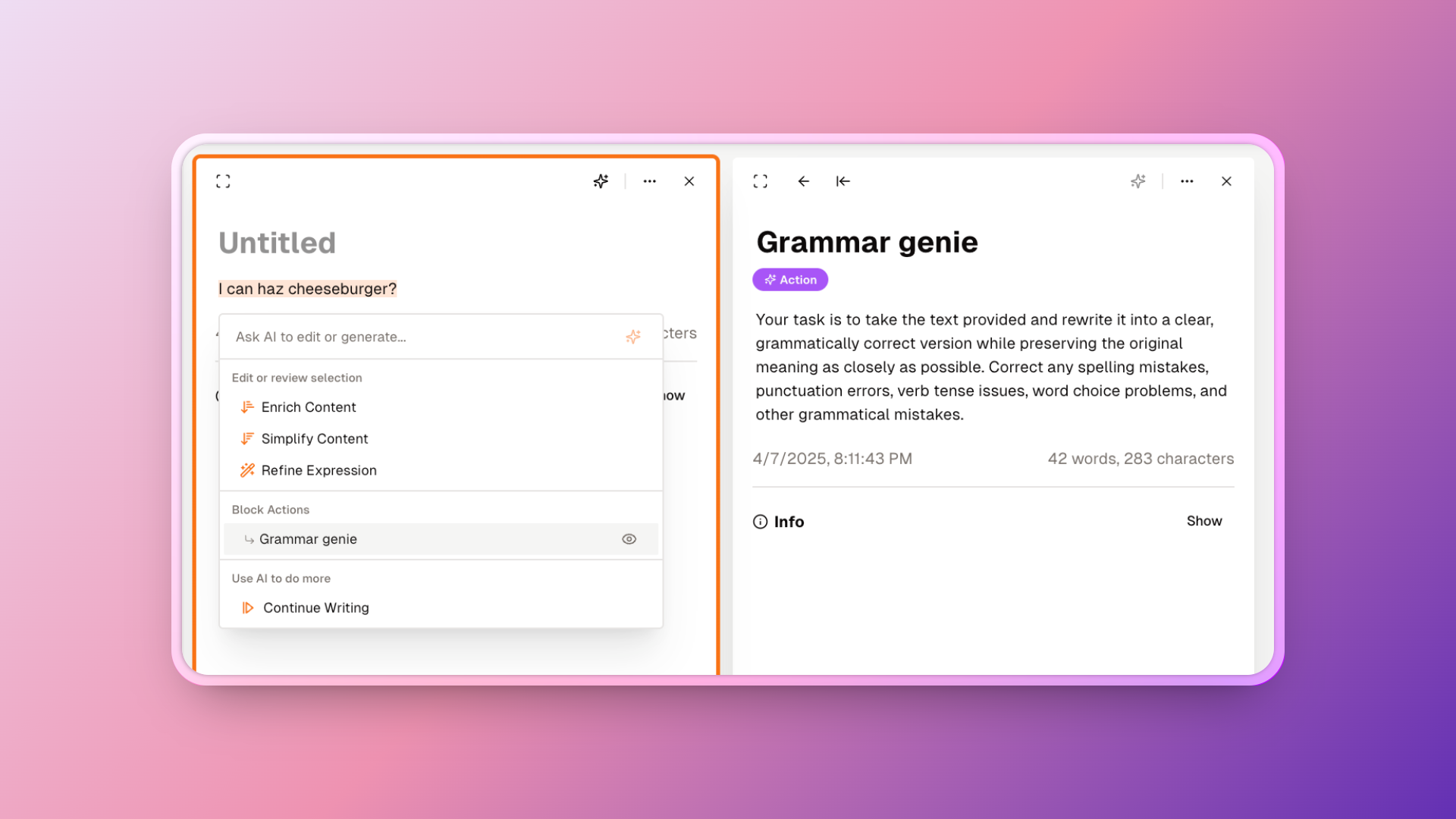
Actions include preset templates and support customization. Main types:
- Text transformation: Polishing copy, academic format conversion, style transfer
- Content generation: Idea expansion, argument supplementation, case generation
- Structure optimization: Outline organization, logic sorting, paragraph reorganization
- Multimodal: Transcription into charts, cards, timelines, and other visual forms
Usage: Select text in the editor, trigger the AI menu, select Action to execute. Supports operations on local content or entire Blocks.
Scene: Persistent Environment for Deep Dialogue
Scenes are for tasks requiring ongoing deep conversations:
- Role definition: Define AI's professional role and behavioral boundaries
- Background knowledge: Preload contextual information needed for task completion
- Thinking framework: Inject domain-specific analysis methods and thinking patterns
For example, creating a "Research Report Mentor" Scene provides continuous literature analysis guidance and viewpoint organization suggestions throughout the dialogue.
Intelligent Completion
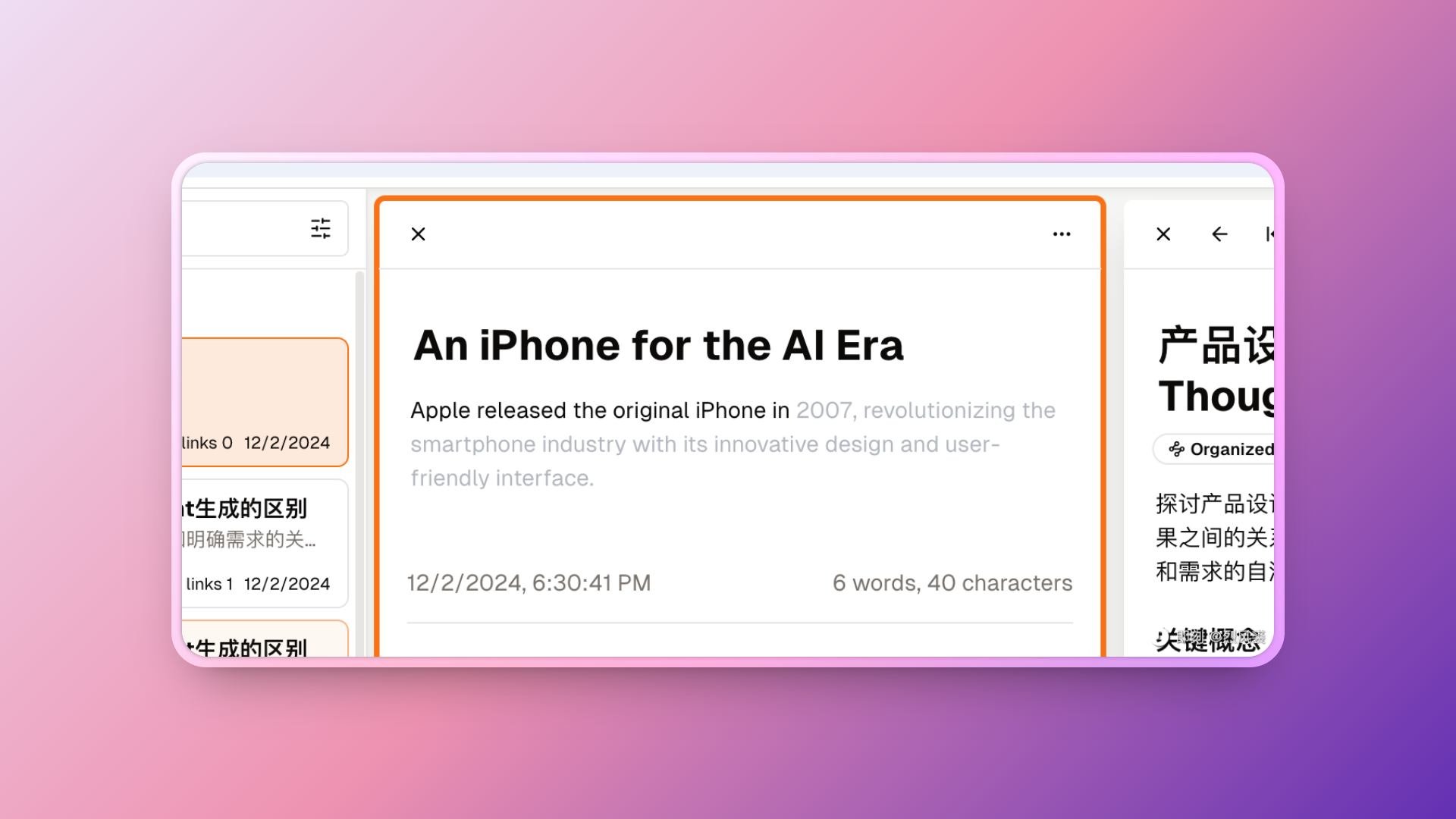
Dessix editor has cursor-aware intelligent completion functionality:
- When pausing during writing, press Tab key to trigger AI intelligent completion, editor analyzes current context and provides subsequent content suggestions
- Press Tab key again to accept suggestions
- System recognizes writing patterns and style, ensuring completion content matches expression style
Focused Creative Environment
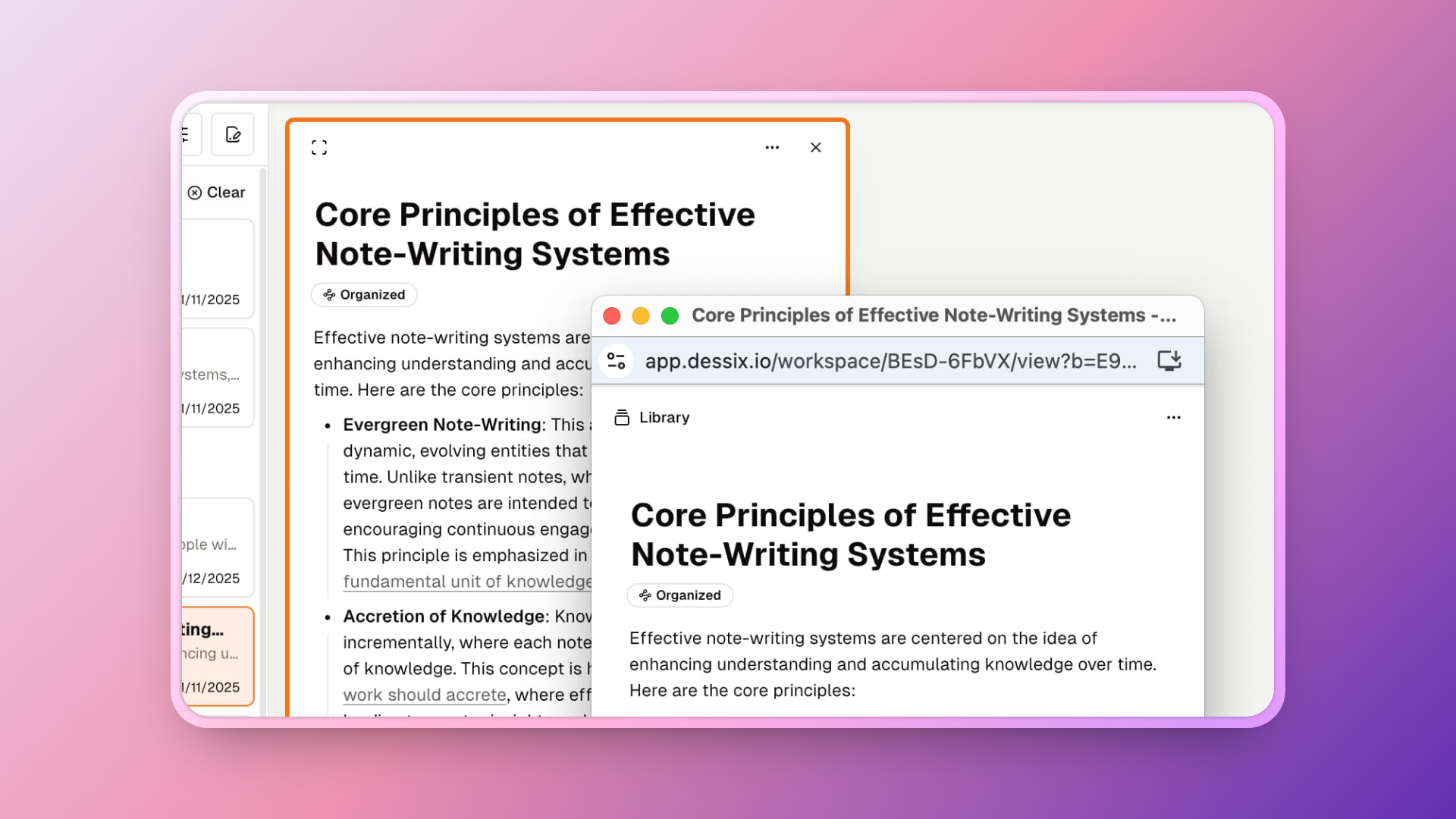
Dessix provides interface design for focused creation:
Independent Window Mode
- Open a single Note to an independent window, shielding other content distractions
- Independent windows automatically hide unnecessary interface elements, maximizing content display area
- Supports full-screen mode
Split-Screen Collaboration Mode
- Display reference materials on the left, create on the right
- Consult materials without switching windows
- Support drag and drop for quick referencing and content integration
Usage Suggestions
Place content of interest in the visible area to become AI's context. Dessix collaborates with you based on visible content.