
Folder
Folders are your bookshelf, used to archive and organize completed content.
Imagine you're organizing a study room
- Topic = Work desk - Projects in progress, materials spread on the desk, discuss with assistant (AI) anytime
- Folder = Bookshelf - Books organized by category, take them out when needed
- Collection = Smart search - "Find all books about AI", automatically gathered from everywhere
Folder Features
- Manual management - You decide what goes in.
- Hierarchical structure - Can be nested to build multi-level directories.
- Fixed content - Won't change automatically.
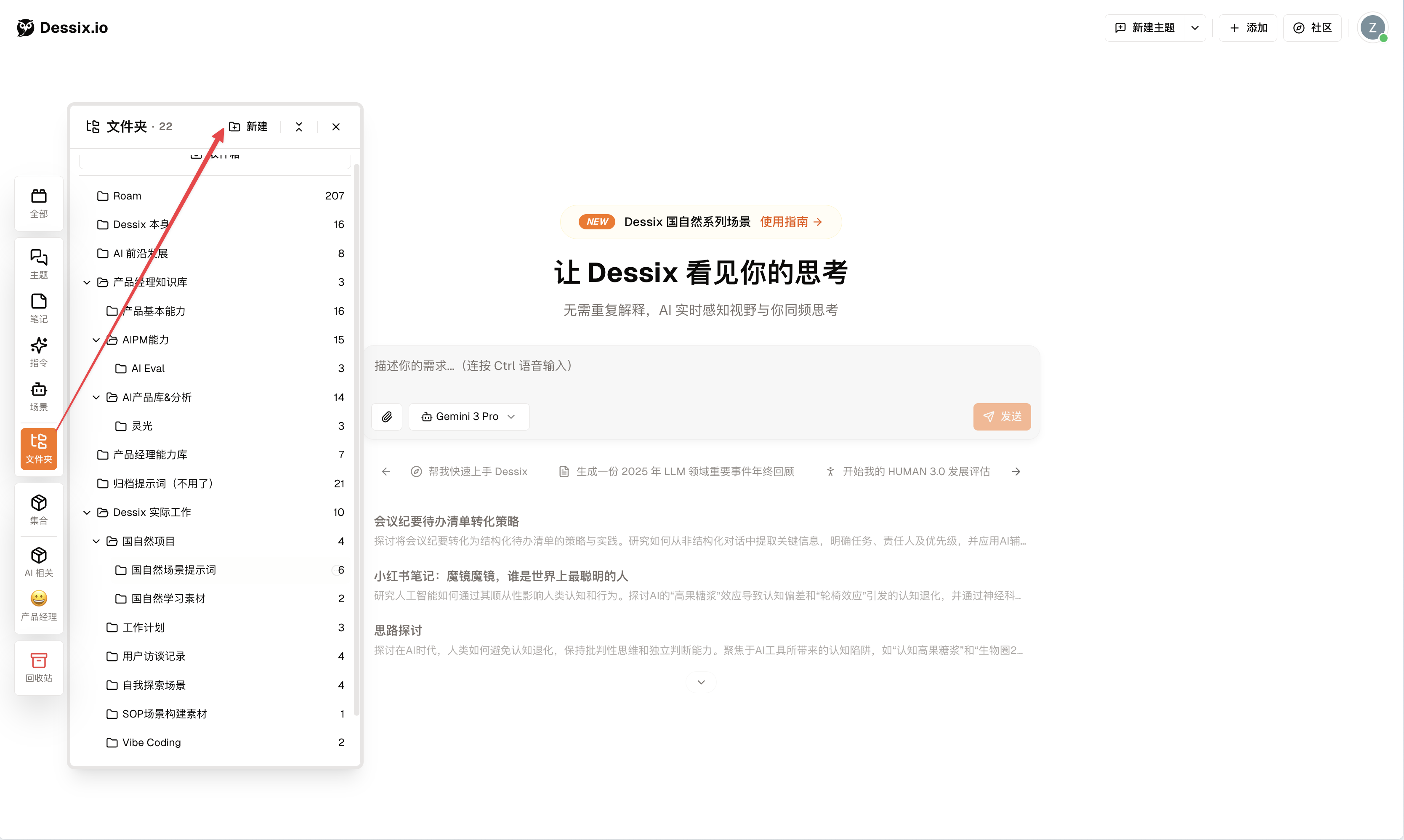
How to Use Folders
Create and Manage
- Click the
Folderbutton on the left, then clickNew. - You can also click the
···button in the upper right corner of any note and selectMove to Folder. - Can create subfolders to build a hierarchical structure for your content.
Applicable Scenarios:
- Establish top-level categories like "Work", "Life", "Learning".
- Create a folder for a course to store all related notes and topics.
- Organize documents by project or client.
- Create an archive area to store completed content.
Topic vs Folder vs Collection
One-Sentence Distinction
- Topic = Working on - Tasks in progress
- Folder = Archived - Storage for completed content
- Collection = Searching - Automatically aggregated by rules
Detailed Comparison
| Topic | Folder | Collection | |
|---|---|---|---|
| Core Function | Workspace | Category Archive | Smart Filter |
| Content Source | Actively Added | Manually Organized | Auto-Matched |
| Content Change | Continuously Evolving | Remains Fixed | Dynamically Updated |
| AI Dialogue | ✅ Deep Dialogue | ❌ View Only | ❌ View Only |
| Typical Scenario | Writing papers, doing projects | Course material archive | "Last 7 days notes" |
Usage Recommendations
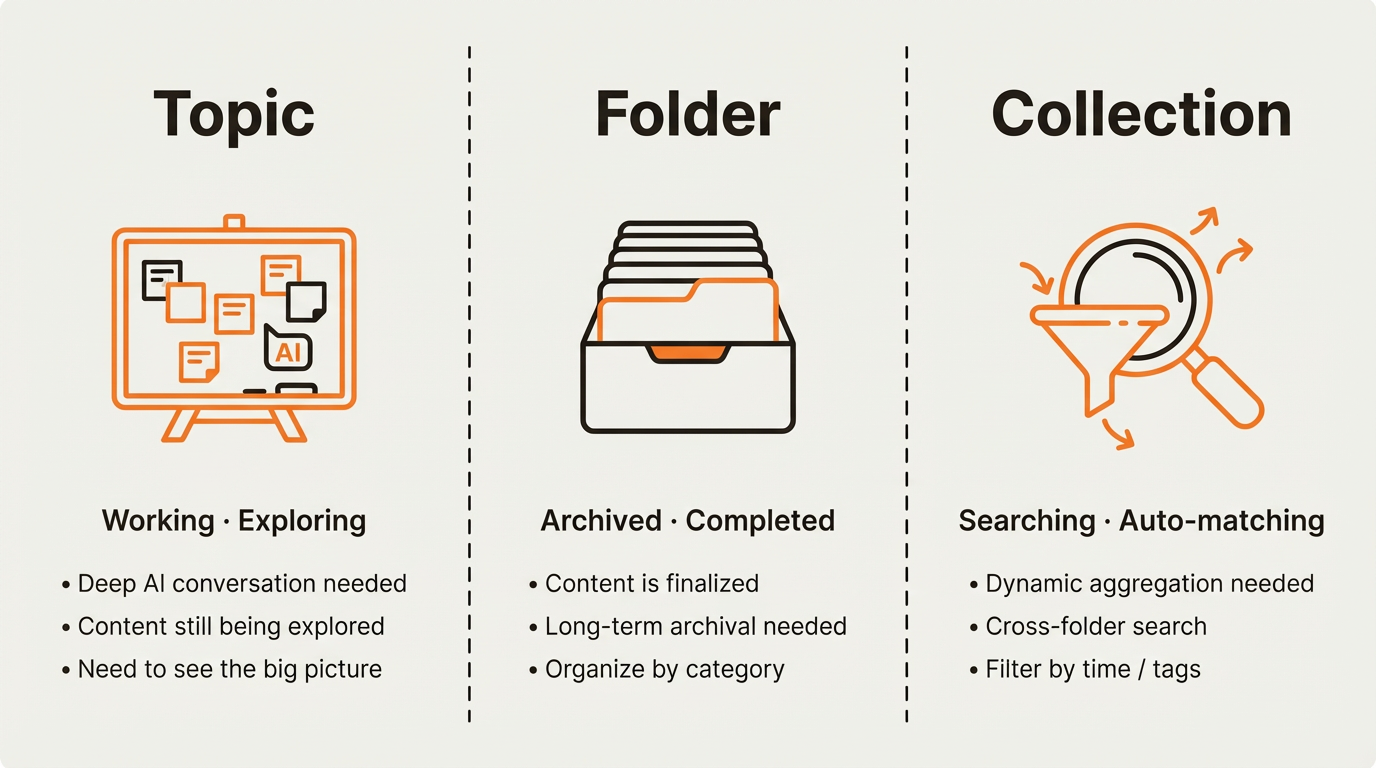
When to use Topics?
- Writing a quarterly review and need AI to help organize key points
- Just gathered competitor research and want to discuss it with AI
- Preparing a presentation and need to connect ideas across multiple notes
When to use Folders?
- Course is over — archive all materials under "2026 Spring Course"
- Project delivered — store all related documents for future reference
- Organize reading notes by book title for easy lookup
When to use Collections?
- Want to see "all notes created in the last 7 days"
- Need to find meeting notes scattered across different folders
- Filter everything tagged with "product strategy"