
Scene
A scene is a continuous conversation environment that allows AI to maintain a specific role and thinking pattern throughout the conversation. Once set, AI will maintain this role throughout the conversation, remembering the corresponding background knowledge, conversation style, and working methods.
💡 Not sure whether to use a Scene or an Action? See Action vs. Scene.
Official Curated Scenes
Dessix has two built-in practical scenes, ready to use out of the box:
Deep Thinking Domain Expert
Helps you think deeply about problems from an expert perspective, providing professional and actionable advice.
Usage Scenarios:
- Encountering complex problems requiring multi-angle analysis.
- Need systematic thinking in professional domains.
- Hope to get executable solutions.
Features:
- Automatically identifies the problem domain and switches to the corresponding expert mode.
- Applies the analytical framework of that domain for analysis.
- Can provide layered professional advice.
Dessix Official Q&A Assistant
Specifically answers Dessix usage-related questions, providing accurate answers based on official documentation.
Usage Scenarios:
- Don't know how to use a certain feature in Dessix.
- Want to understand Dessix's design philosophy.
- Encountered usage problems and need help.
Features:
- Prioritizes using official documentation to answer your questions with relevant documentation links.
- Provides specific operation steps.
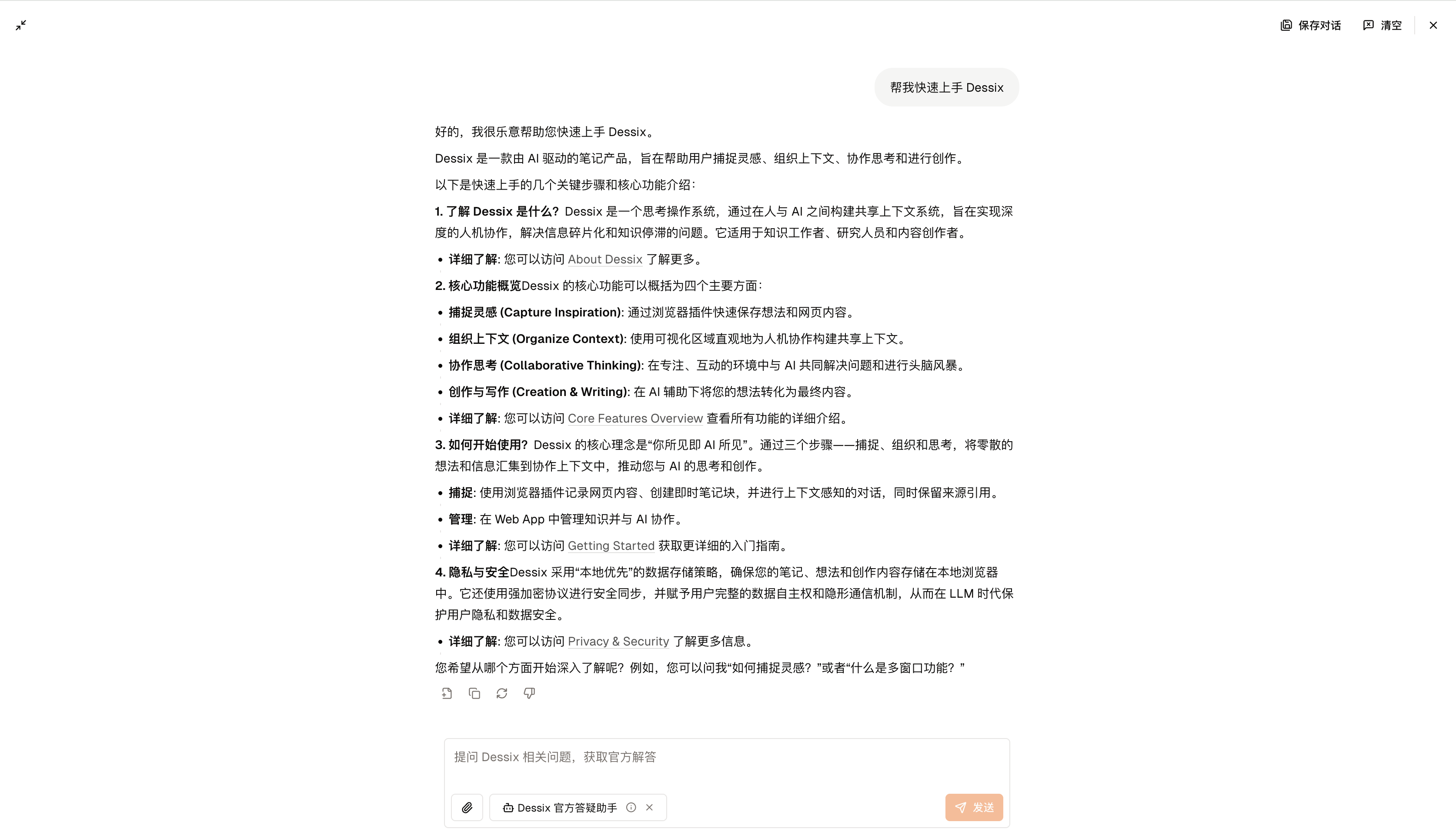
How to Use Scenes
Method 1: Select in Chat Box
After creating a new Topic, select a scene in the chat box, and AI will maintain this role throughout the conversation.
Method 2: Add Scenes from Community
Enter the community to browse and add more useful scenes.
Create Your Own Scenes
When you need AI to play a certain role long-term, you can create a scene:
- Write a note describing the role positioning, background knowledge, and thinking patterns
- Click the
···button in the upper right corner of the note - Select
Convert to Scene - Next time you chat, select this scene
Benefits of doing this:
- AI will remember the role settings and background knowledge.
- Each conversation maintains a consistent thinking pattern.
- Suitable for long-term deep conversations.