
What's the Difference Between Actions and Scenes?
Core Differences
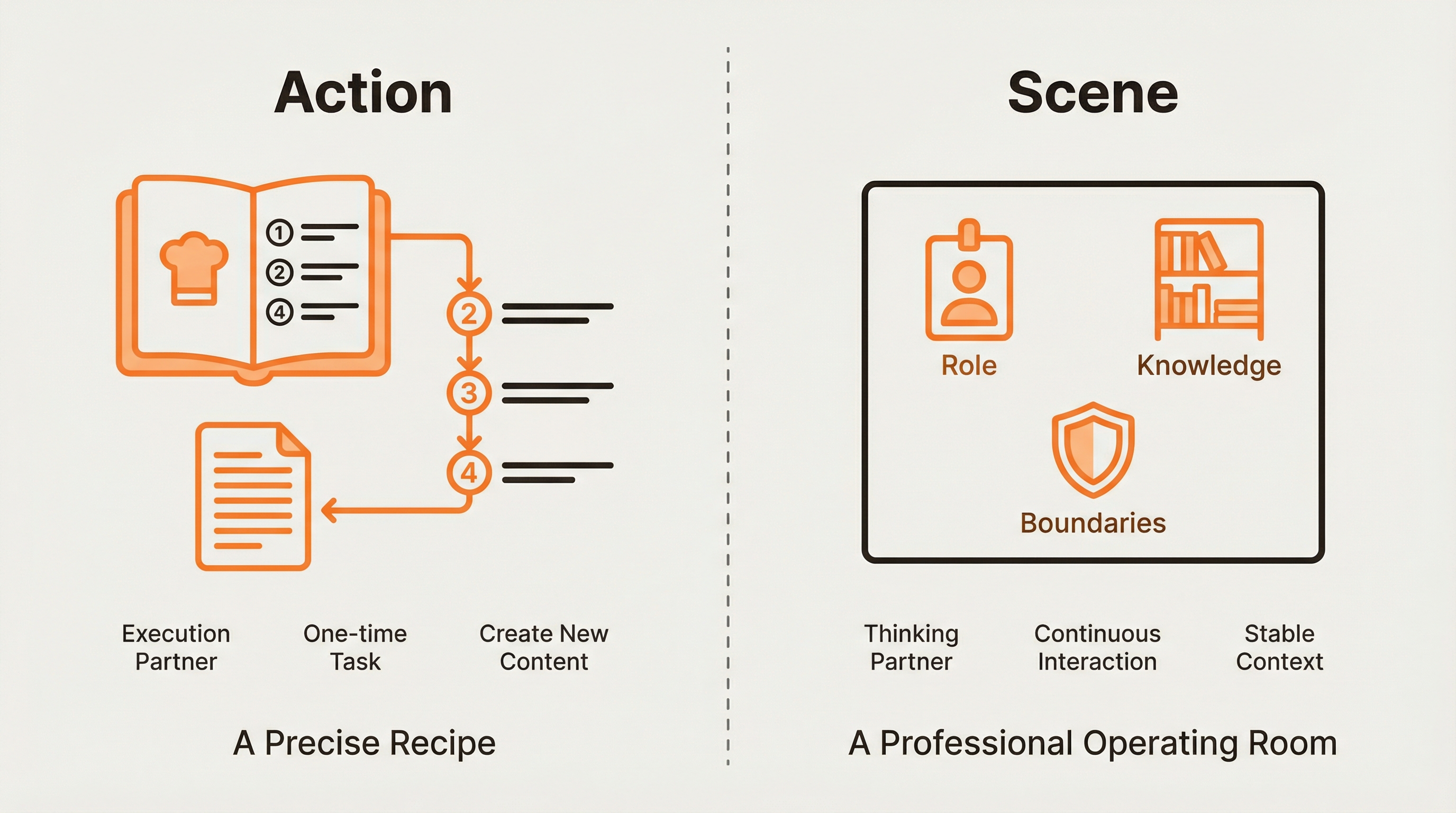
| Feature | Action | Scene |
|---|---|---|
| Essence | Structured workflow | Persistent context environment |
| Role | Execution partner | Thinking partner |
| Working Mode | One-time task completion | Continuous interaction environment |
| Scope | Single task processing | Entire conversation process |
| Core Value | Create new content | Provide stable context |
One-Sentence Understanding:
Action= Precise recipe, execute step by step, output determined resultsScene= Professional operating room, provides role, knowledge, and behavioral boundaries
How Actions Improve Controllability
Action transforms "vague intentions" into "precise workflows".
Workflow Breakdown
An Action breaks down vague user intentions (e.g., "help me analyze competitors") into a series of specific subtasks:
- Extract core features
- Analyze target users
- Compare strengths and weaknesses
- Summarize strategic opportunities
AI will strictly follow this process rather than improvise.
Input Standardization
Action guides users to provide standardized information necessary for completing tasks, avoiding output deviations due to insufficient input information.
Output Formatting
Action forces AI to output results in a predetermined structured format, ensuring content consistency and usability.
Analogy
Asking casually is like telling a kitchen novice "make me dinner"—the result might be a disaster. Using an Action is like giving them a Michelin recipe accurate to the gram—at least they can make a decent dish.
How Scenes Improve Certainty
Scene defines the "boundaries" and "roles" of collaboration, like a "room" customized for specific tasks.
Role Solidification
Clearly define AI's role in the Scene, such as "You are a senior AI product strategy expert". AI's behavior and language style will be constrained by this preset role, producing more stable and professional output.
Knowledge Injection
Scene can preload background knowledge, professional terminology, or thinking frameworks needed to complete specific tasks. AI will prioritize using this preset knowledge rather than randomly extracting from vast general knowledge.
Behavioral Constraints
Scene sets AI's behavioral boundaries, such as "You must answer based on provided materials and must not fabricate information". This hard constraint greatly reduces the probability of AI generating inaccurate content.
Analogy
Talking with regular AI is like chatting with strangers in a public square—you can't predict their reactions. Using a Scene is like entering an operating room equipped with professional tools, talking with a doctor in a white coat—collaboration goals and results become clear and predictable.
Combined Use: Building Expert-Level AI Applications
When Scene and Action are combined, Dessix transforms from a chat tool into a customizable AI collaboration platform:
Scene= "Operating system" on which AI runs (defines worldview and basic capabilities)Action= "Application" running on the system (defines task execution logic)
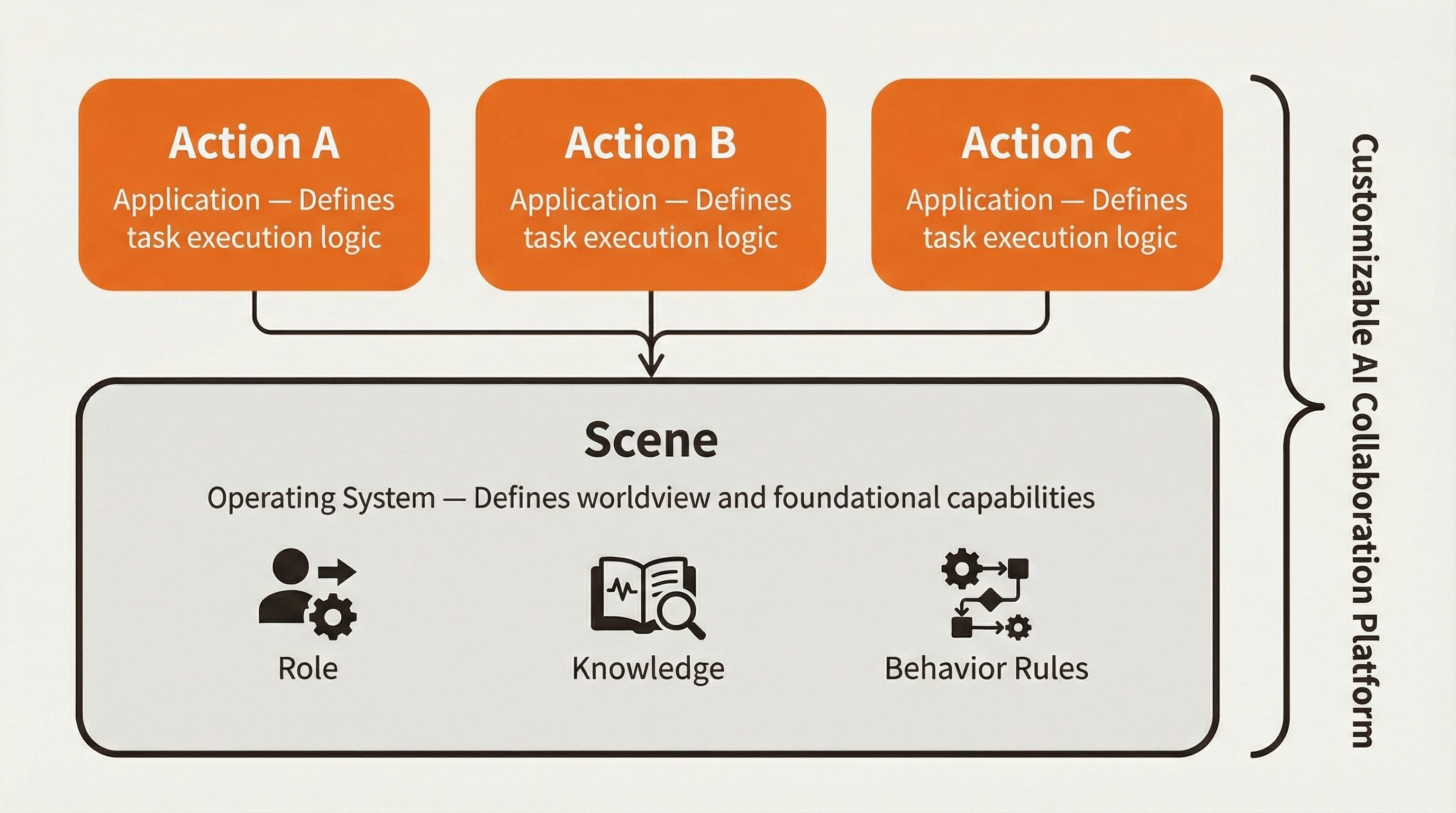
This combination allows you to design and orchestrate how AI works according to professional needs. AI collaboration transforms from uncertain "artistic creation" to predictable "engineering practice".
Quick Selection Guide
Use Actions:
- Need to create new content
- Need to handle specific tasks
- Need structured output
- One-time tasks
Use Scenes:
- Need continuous dialogue
- Need deep thinking
- Need to create a specific environment
- Need long-term memory support