
Collaborative Thinking
Dessix supports dynamic, interactive thinking exploration based on constructed context and AI conversation capabilities.
Core Capabilities
- Focused dialogue experience: Dynamically adjust interface layout to prominently display key context
- Thought branch management: Support dialogue branch creation and switching to explore multiple possibilities
- Scenario-based thinking mode: Switch different thinking perspectives and analysis frameworks through Scenes
- Maintain thought coherence: Support idea extension and deepening in multi-round dialogues
Focused Thinking Space
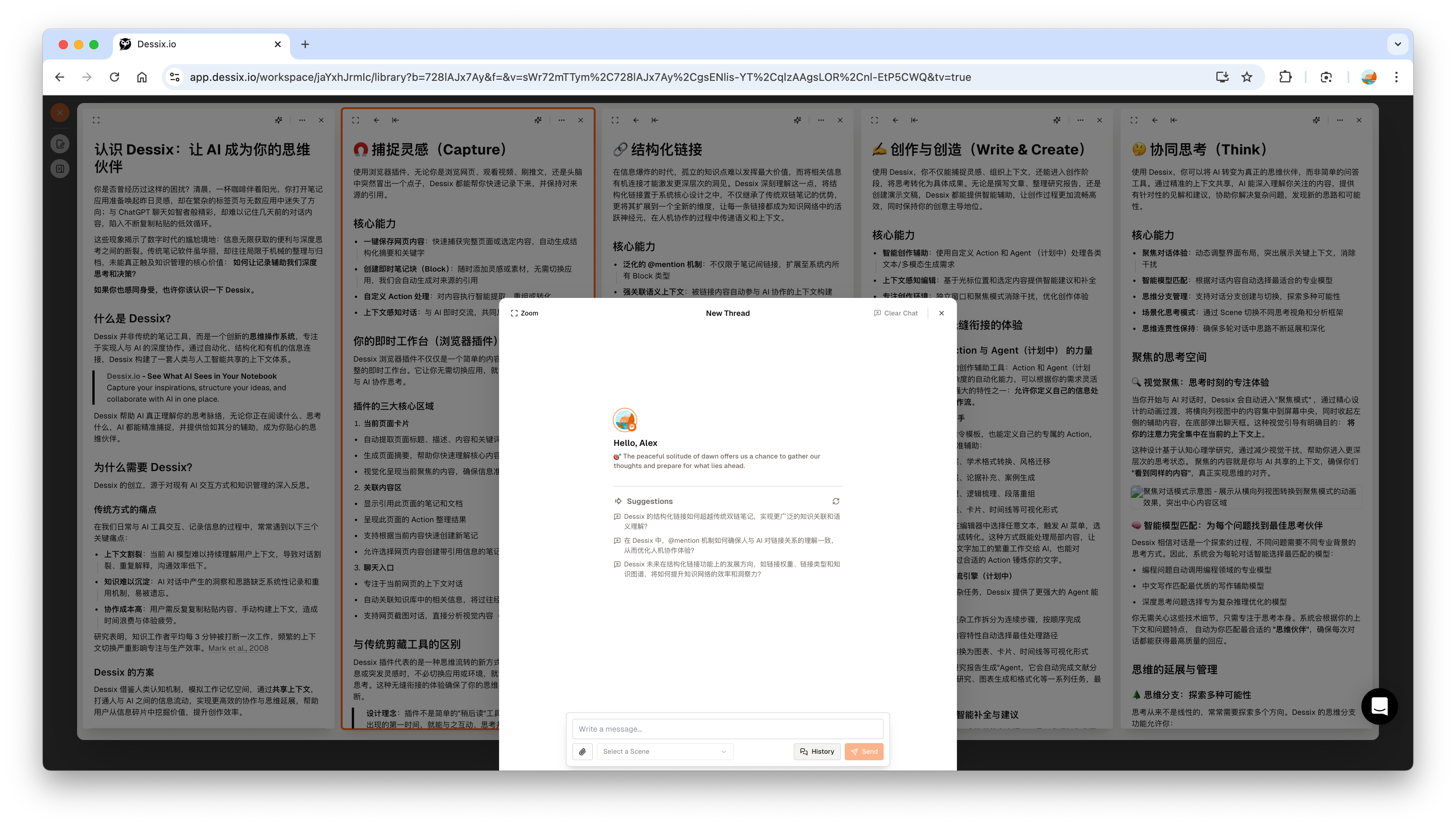
Visual Focus
When starting a conversation, Dessix automatically enters "focus mode", concentrating content from the horizontal column view to the center of the screen, retracting left auxiliary content, and popping up the chat box at the bottom. The focused content is the context shared with AI.
By reducing visual distractions, it helps enter a focused thinking state. The focused content ensures you and AI "see the same content".
Extension and Management of Thoughts
Thought Branches
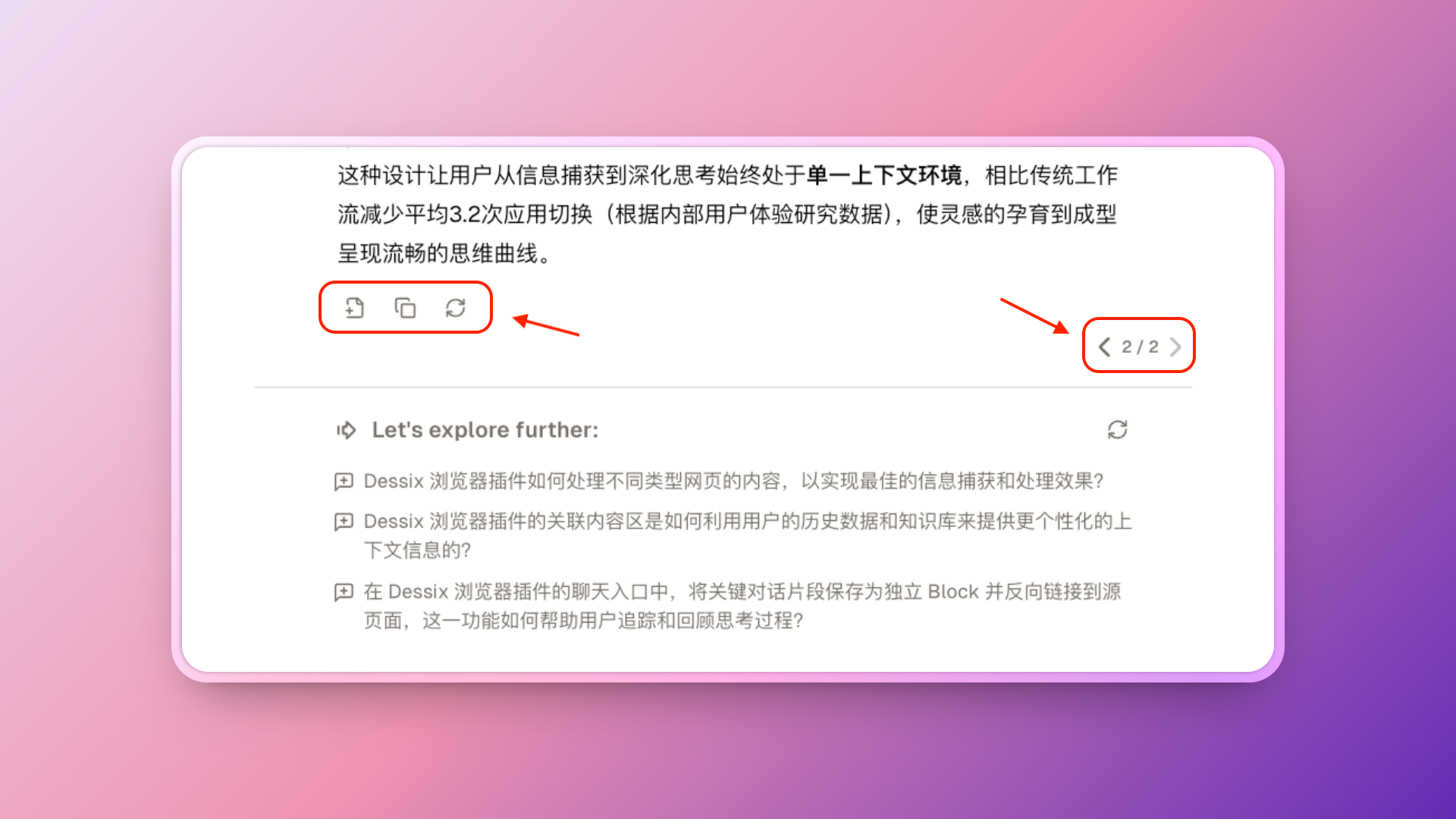
Dessix supports dialogue branch functionality:
- Save key nodes of the dialogue
- Create multiple thought branches from the same starting point
- Switch and compare between different branches
- Reload to get new responses
Scene
Scene is a scenarized encapsulation of traditional AI system prompts (System Prompt). Through Scene, you can:
- Switch different thinking roles (such as critical thinker, creative inspirer, system analyst, etc.)
- Set specific thinking backgrounds and frameworks
- Introduce professional perspectives from specific fields into the dialogue
- Obtain multi-angle analysis within the same context
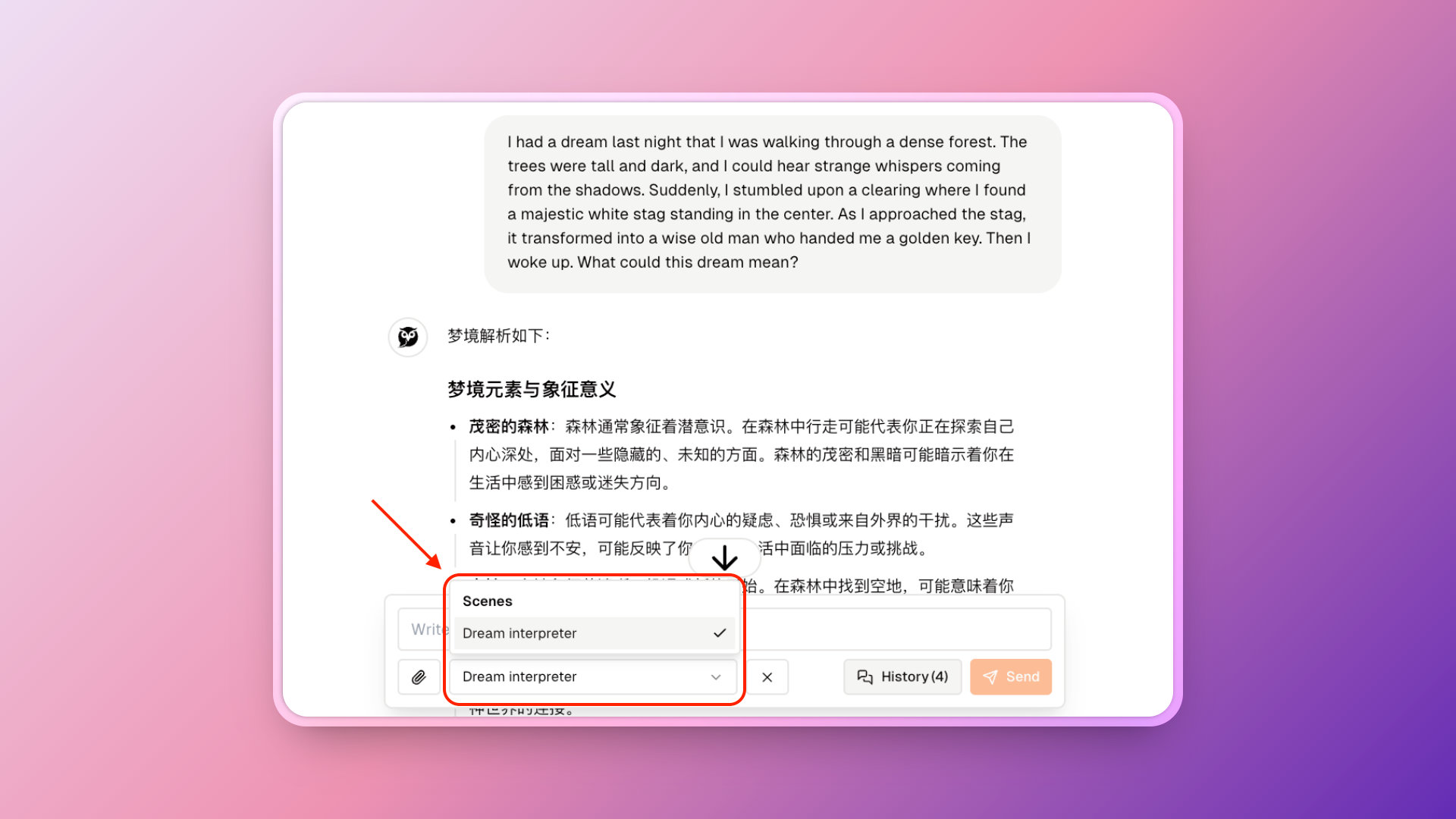
Scene acts as a variable that continuously influences dialogue, supporting switching between different thinking modes and perspectives within the same context.
Usage Suggestions
Selection, focus, and branch operations on the canvas affect AI's context understanding. Recommend keeping only the most valuable core information.